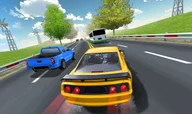







Traffic Racer 3D is a highway driving game where you speed through traffic, dodge slower vehicles, and survive as long as possible without crashing.
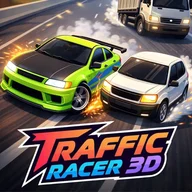
Here's a quick look at the game:
What is Traffic Racer 3D?
Traffic Racer 3D is a 3D traffic racing game focused on speed and precision driving. You drive along busy roads, pass slower cars, and try to keep your vehicle under control as traffic becomes harder to read.
The game can include different driving setups such as one-way traffic, two-way roads, rainy conditions, police chase sequences, practice runs, and free driving. Each setup changes how much space you have and how quickly you need to react.
How to Play Traffic Racer 3D
Start by accelerating into traffic and choosing a safe lane. Watch the cars ahead, not just the one directly in front of you, because sudden lane changes can leave you with no room to escape.
Your goal is to drive fast, avoid collisions, and complete the run or mission objective. Close overtakes can be useful, but driving too close to several vehicles at once increases the chance of a crash.
Use braking before tight traffic clusters. A short slowdown can save the run, especially when vehicles block both lanes or when the road condition makes steering less stable.
Controls
| Key | Action |
|---|---|
| WASD | Drive |
| Arrow Keys | Drive |
| Spacebar | Brake |
| Mouse Drag / Touch Drag | Steer on supported versions |
Tips of Traffic Racer 3D
- Look two or three cars ahead before changing lanes.
- Brake early when both lanes are blocked.
- Use close overtakes only when you have a clear escape lane.
- In two-way traffic, return to a safe lane before oncoming cars close the gap.